Host a Server
ReMix comes in every download. It is one program that runs game servers and, when you want one, a MasterMix: the directory every player's server list reads.
A server for you and your friends
- In the game, choose Make New Server, or run
ReMix_<version>.exe(on Linux,ReMix_<version>) from the game's folder. - Create a server: give it a name and a port, and leave Public Server ticked so that it is listed.
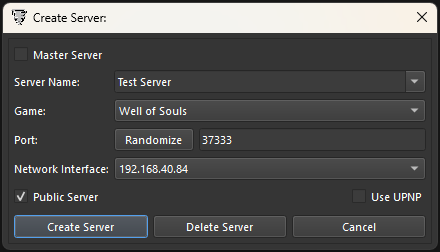
Create Server: the server's name, the game, the port (Randomize picks one), the network interface to listen on, Public Server and Use UPNP. - Let players reach it. Forward that port (TCP and UDP) on your router, or tick UPnP if your router supports it.
- Your server checks in with the MasterMix and appears in everyone's server list.
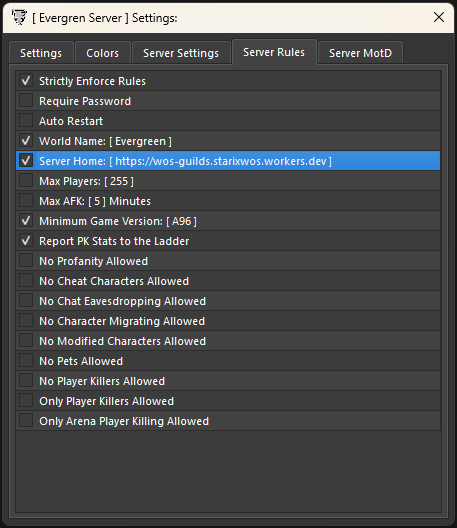
The world's name, the player limit and the rest of the rules are in the server's Settings, on the Server Rules tab. Turn on Auto Restart there and ReMix starts the server again whenever ReMix starts.
Once it is up, you and your players talk to it in slash commands: who is on, bans and mutes, the message of the day, guilds and camps. Server Commands lists them all.
A dedicated server
For a server that stays up around the clock, run ReMix on an always-on machine. Keep only the ports you use open, and back up the ReMix folder: it holds your admins, bans and guilds.
The server's log
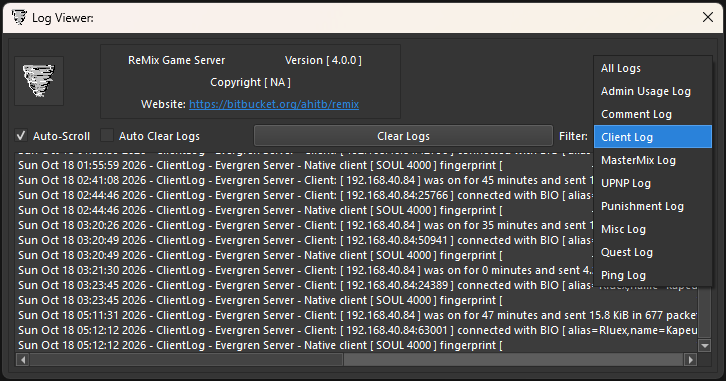
Log View opens the Log Viewer: what the server has written, filtered by kind, from admin usage and
comments to punishments, the MasterMix and pings. Enable Logging Files on the Settings tab writes the same
to disk, in a logs folder beside ReMix.
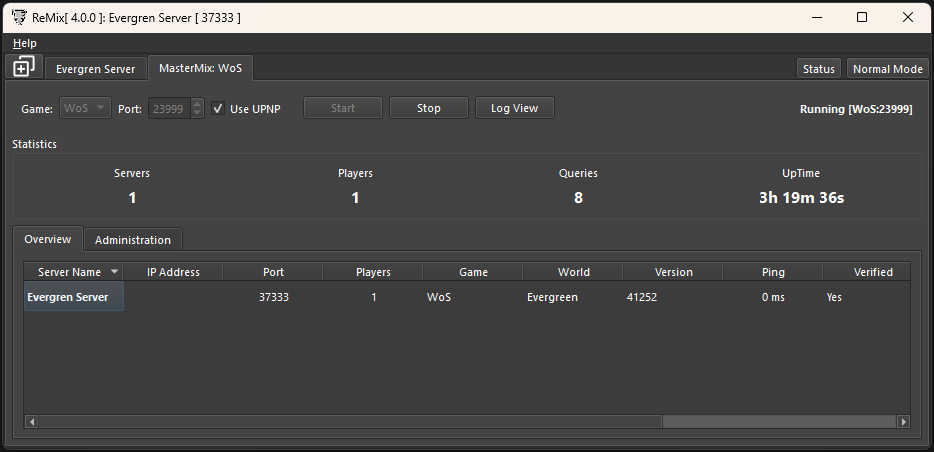
Running a MasterMix
Most hosts never need one: the community MasterMix is already in every player's list. ReMix can run your own (Well of Souls uses UDP port 23999) for a private network or a test bed. In the MasterMix tab, choose the game and the port and press Start; the servers that check in are listed below.